
University ID Cards
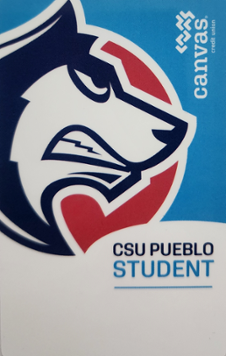

CSU Pueblo students attending classes on the main campus are required to have a CSU Pueblo ID card (Online and Satellite students are not required to get a University ID).
Obtaining Your University ID
NEW PROCESS: You can upload your photo now! Visit AtriumCampus to log into your university account. The Single-Sign-On (SSO) portal uses the same login information as your university email account. Pro tip: This is the same place you check your Thunderbucks or Meal Plan balance!
- Once logged in, you will select the "Photo Upload" option on the left navigation. For mobile users, this may be located in the menu drop down.
- Follow the prompts.
- UPLOAD 1: Take your photo or upload a photo. The system will provide feedback if your photo is not accepted.
- UPLOAD 2: Upload a photo of your valid state-issued photo ID, Military ID, or passport for approval.
- If you reverse the order or provide two photos of yourself, the software will denied your submission.
- Once approved, visit the Auxiliary Services Office, located inside the Occhiato Student Center on the second floor (Room 212) during regular working hours Monday through Friday from 8 a.m. to 5 p.m, to pick up your ID. It takes less than 5 minutes to print!
- Don't want to upload a photo? No problem! Auxiliary Services can still take your photo for you in our OSC 212 office.
Student ID Requirements:
- You must be a registered student during the current or next semester.
- You must have a valid state-issued photo ID, Military ID, or passport to obtain a University ID. Digital copies are not accepted.
- The cost for the first ID card is included in the enrollment fee. Replacement cost for a lost or damaged ID card is $10 for students or employees.
- IDs can be charged to your financial aid account during designated semester time frames. Check with Student Financial Services for exact dates.
Employee ID Requirements:
- You must have an active contract as confirmed by Human Resources.
- You must have a valid state-issued photo ID, Military ID, or passport to obtain a University ID. Digital copies are not accepted.
- The cost for the first ID card is covered by the University.
- Replacement cost for a lost or damaged ID card is $10 for employees and due at time of purchase.
- The Auxiliary Service office only accepts credit card payments. Cash or checks must be paid at the Cashier Window in the Administration Building prior to having the ID printed.
- Replacement cost for a lost or damaged ID card is $10 for employees and due at time of purchase.
University IDs have a variety of uses:
- Meal plans
- Athletic facility use
- Recreation Center entrance
- Library use
- ThunderBucks purchases in the food venues and bookstore
- Residence hall access and laundry services in the Residence Halls
- Identification for CSU Pueblo security personnel
- As noted on the back of the card, University ID cards must be carried at all time and be shown for identification upon request of University personnel.
Using Thunderbucks
If you add money to your Thunderbucks account, your University ID acts as a debit card.
- When making your purchases, present your University ID card to the cashier.
- Let them know you are paying with Thunderbucks (instead of Dining Dollars or Commuter Cash meal plans).
- When it is swiped, the amount of your purchase is deducted from your ThunderBucks balance.
- You may add Thunderbucks to your card or check you balance by visiting AtriumCampus.
- Your Thunderbucks balance carries over each semester.
- You are given a discount at many locations when using Thunderbucks.